

- Joined
- 22 Aug 2022
- Messages
- 13
- Reaction score
- 3
- Points
- 3
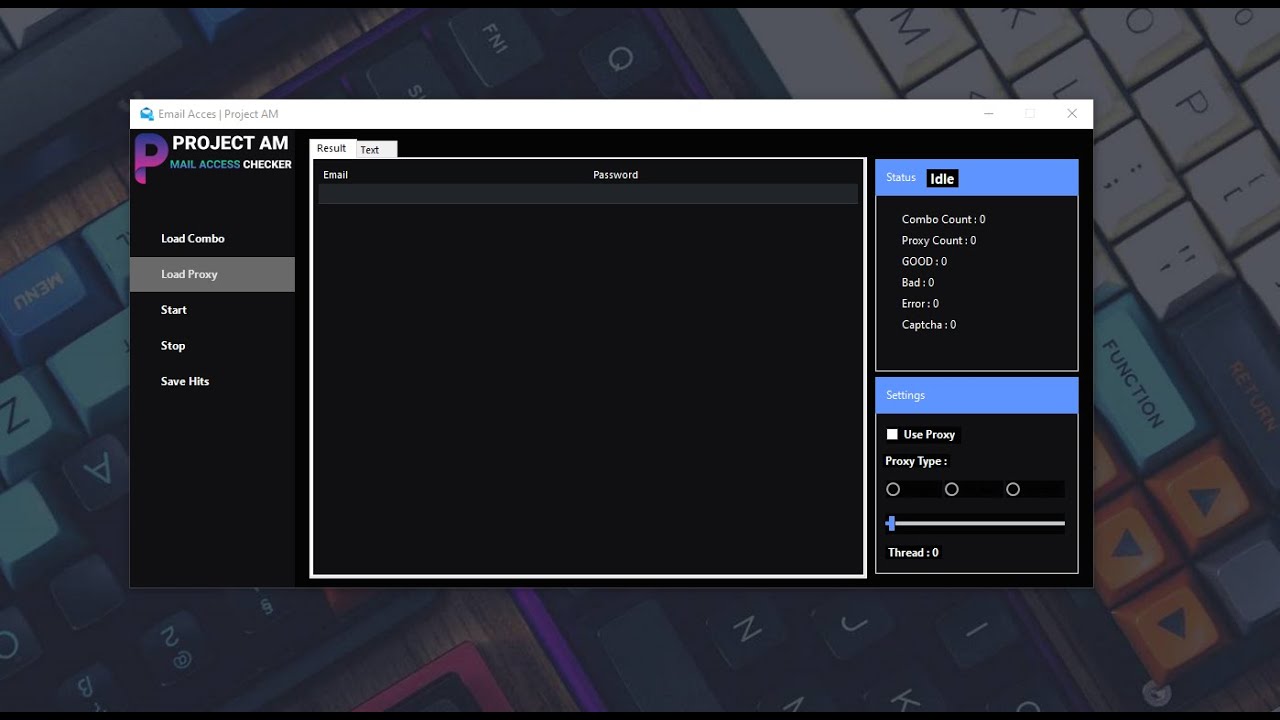
Email ACCESS CHECKER and Cracker 2026
Email ACCESS CHECKER and Cracker 2026
Email ACCESS CHECKER and Cracker 2026 – Advanced Email Access Testing & Inbox Viewer Tool (IMAP/POP3 + SOCKS4/5)
In today’s digital world, email accounts are more valuable than ever. Whether you manage multiple inboxes for business operations, customer support, marketing, or security testing, checking email access manually can waste hours. That’s why tools like Email ACCESS CHECKER and Cracker 2026 are becoming popular among professionals who need fast, accurate, and automated inbox access verification.
Email ACCESS CHECKER and Cracker 2026 is a modern email access checking software designed to test large databases, verify logins, connect using IMAP and POP3, download emails, clean junk entries, and even discover new email domains using smart methods like web configs. It also includes a powerful built-in mail viewer that helps you browse valid inboxes efficiently.
This guide will explain what Email ACCESS CHECKER and Cracker 2026 is, its features, use cases, and how it helps streamline email checking workflows.
What is Email ACCESS CHECKER and Cracker 2026?
Email ACCESS CHECKER and Cracker 2026 is an email login verification and mailbox access tool built for high-performance checking. It supports large-scale queries, meaning it can handle huge email lists depending on the power of your PC or dedicated server.
Unlike basic email checkers, this software focuses on real access validation, meaning it doesn’t just verify credentials—it can also connect, load inbox data, download messages, and display results inside a mail viewer.
Discover more
mail servers
Data cleansing
Database Cleanup
Vulnerability scanner
Proxy
software
server
Message transfer agent
mail server
If you work with email databases, multi-inbox management, or email testing tasks, Email ACCESS CHECKER and Cracker 2026 provides a faster, cleaner, and more reliable workflow.
Key Features of Email ACCESS CHECKER and Cracker 2026
Let’s break down the most powerful features of Email ACCESS CHECKER and Cracker 2026 and why they matter.
1) Supports a Large Number of Queries (High Performance)
One of the biggest advantages of Email ACCESS CHECKER and Cracker 2026 is its ability to run a large number of queries.
Performance depends only on:
Your PC specifications (CPU, RAM, storage)
Or a dedicated server setup (recommended for heavy loads)
This makes it ideal for users who need to check bulk databases without slowing down their workflow.
2) Better Email Search (Improved Compared to AIO)
Discover more
mail servers
Software
Database Cleaning
Database Cleanup
Database cleaning
databases
Emails
Computer security
software
Email ACCESS CHECKER and Cracker 2026 includes an email search system that is implemented “much better than in AIO”.
That means:
Faster searching inside mail data
More accurate filtering
Better usability when working with multiple inboxes
If you regularly search through inbox content, this feature can save you a lot of time.
3) IMAP and POP3 Protocol Support (Auto Re-Login)
The software supports both major email protocols:
IMAP (recommended)
Syncs mailbox content
Allows access to folders and server-based mail
POP3
Simple mailbox access
Works well for older email setups
Bonus: If an error occurs, Email ACCESS CHECKER and Cracker 2026 attempts to log in again after a while, improving success rate and stability during long checking sessions.
4) Downloads Emails (TXT or HTML Format)
A powerful feature in Email ACCESS CHECKER and Cracker 2026 is its ability to download emails for offline review.
You can choose the format:
TXT (plain text, lightweight, easy to store)
HTML (keeps formatting, better for viewing layouts)
This is helpful when you want to archive messages or review important mail content without repeatedly reconnecting.
This feature helps when you have email lists from mixed sources and you want to:
Identify unknown domains
Improve domain matching
Support new mail server configurations automatically
It’s a smart way to expand compatibility and reduce failed checks due to missing server settings.
6) Built-in Mail Viewer (Access Valid Emails Easily)
A standout feature is the Mail Viewer, which accesses all valid emails.
Instead of only showing “valid/invalid” results, this viewer lets you:
Browse inbox content
Open messages quickly
Confirm mailbox access visually
Manage valid accounts efficiently
This makes Email ACCESS CHECKER and Cracker 2026 feel like a full mailbox access tool, not just a checker.
7) Database Cleaning (Removes Junk Automatically)
Email lists often contain junk entries like:
Missing passwords
Invalid formats
Duplicate lines
Broken combos
Email ACCESS CHECKER and Cracker 2026 includes a database cleaning system that helps remove unnecessary trash data and keeps your database optimized.
This improves:
Speed
Accuracy
Success rate
Better organization
8) SOCKS4 / SOCKS5 Proxy Support
To improve privacy, stability, and avoid rate limits, Email ACCESS CHECKER and Cracker 2026 supports:
SOCKS4 proxies
SOCKS5 proxies
Proxy usage helps with:
Distributed checking
Reduced blocks from mail servers
Better performance on bulk operations
Why Email ACCESS CHECKER and Cracker 2026 is Useful in 2026
In 2026, email systems are smarter and more secure. Providers detect suspicious logins faster, and access errors happen frequently due to rate limits, geo-restrictions, and server security rules.
That’s why Email ACCESS CHECKER and Cracker 2026 stands out with features like:
IMAP/POP3 support
Auto retry login
Inbox viewing
Downloading mail
Proxy support
Database cleaning
It’s designed to handle modern email-checking workflows efficiently.
Common Use Cases of Email ACCESS CHECKER and Cracker 2026
Here are a few practical ways professionals use this tool:
Bulk Inbox Access Testing
Quickly test large email databases to find which inboxes are accessible.
Inbox Content Review
Use the Mail Viewer to inspect messages and confirm mailbox activity.
Email Download & Archiving
Download important mail in TXT or HTML for offline access.
Domain Discovery & Configuration Updates
Find new domains and update mail access settings using web configs.
Database Cleanup for Better Results
Remove junk entries to improve overall checking speed and accuracy.
How to Use Email ACCESS CHECKER and Cracker 2026 (Basic Workflow)
Even if you are new, the process is simple:
Import your email database (combo list)
Select protocol:
IMAP or POP3
Add SOCKS4/5 proxies (optional but recommended)
Start checking with high performance settings
View valid results in the Mail Viewer
Download emails if needed (TXT or HTML)
Clean junk from database for future checks
This workflow saves time and keeps everything organized.
Advantages of Email ACCESS CHECKER and Cracker 2026
Here are the main benefits:
Download Link
Download Link
[/CENTER]

